Filter OSM Features with AND, OR, NOT and Regex: The Updated tags Parameter
The tags parameter now understands AND, OR, NOT, grouping and regex in a single string, replacing or_tags and not_tags. What changed, how to write expressions, and how to keep them fast.
Try it now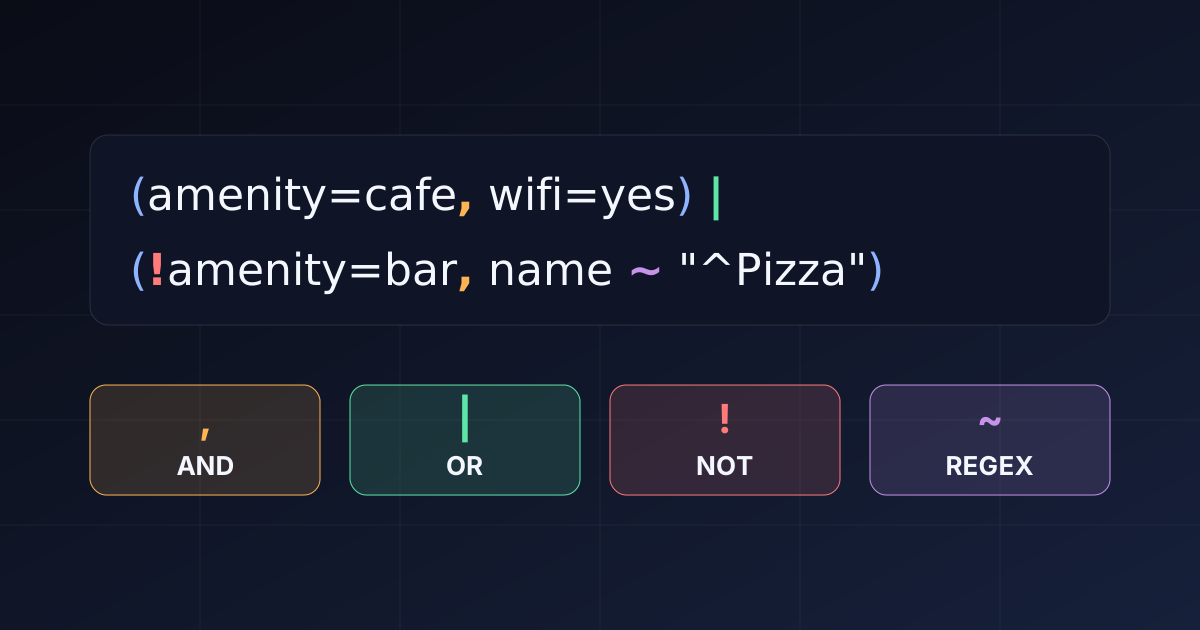
The tags parameter on /v3/osm_features now understands boolean expressions. You can combine AND, OR, NOT, grouping, and regex in one string, and get every matching feature in a single request. This replaces or_tags and not_tags, which are deprecated. Sending both with tags returns HTTP 400.
If you used to build an Overpass query, the shape is different. Overpass chains brackets for AND (way[amenity=cafe][wheelchair=yes]) and needs a union of statements for OR. Here the whole filter is one flat string, such as amenity=cafe,wheelchair=yes|!cuisine. It reads like a search query over the plain OSM tags you already know.
The grammar
,is AND. Repeatingtagsalso ANDs.|is OR.amenity=cafe|amenity=barmatches either.!negates one clause.!access=privateexcludes it.(a,b)|cgroups one operator inside an OR. There is one level of grouping, and no!(...).key,key=value, andkey!=valuematch presence or value.key>n,>=,<, and<=compare numbers.key~"regex"andkey!~"regex"match with a regular expression.
Quote any value that contains ,, |, or &. There is no & operator, so an unquoted & is not AND.
Examples
These use the Python SDK. Lists AND their items, and | inside an item is OR.
from osmfeatures import OSMFeaturesClient

with OSMFeaturesClient(api_key="sk-...") as client:
    # Wheelchair-accessible cafes or bars (OR inside one item, AND across items)
    fc = client.query(
        bbox="18.05,59.32,18.10,59.34",
        type="node",
        tags=["amenity=cafe|amenity=bar", "wheelchair=yes"],
    )

    # Cycleways that are not private
    lanes = client.query(
        bbox="18.05,59.31,18.10,59.33",
        type="way",
        way_shape="line",
        tags=["highway=cycleway", "!access=private"],
    )

    # Peaks above 500 m
    peaks = client.query(
        bbox="18.00,59.00,19.00,60.00",
        type="node",
        tags=["natural=peak", "ele>500"],
    )

    # Regex on the name, always paired with an indexed tag
    pizza = client.query(
        bbox="18.05,59.32,18.10,59.34",
        type="node",
        tags=["amenity=restaurant", 'name~"^Pizza"'],
    )
The same filter works directly against the API. Percent-encode > as %3E.
curl -G "https://api.maplark.com/v3/osm_features" \
  -H "Authorization: Bearer <your-api-key>" \
  --data-urlencode "bbox=18.05,59.32,18.10,59.34" \
  --data-urlencode "type=node" \
  --data-urlencode "tags=(amenity=cafe,wheelchair=yes)|shop=bakery"
For a nested condition, group one operator and negate each clause:
# a OR (b AND c)  ->  a|(b,c)
tags=["shop=bakery|(amenity=cafe,wheelchair=yes)"]

# NOT (a OR b)  ->  !a,!b
tags=["!amenity=cafe", "!amenity=bar"]
Use full tag names so the index works
The fastest filters use exact tags: key and key=value. Those can use an index. A regex and a negation cannot, so they only narrow rows that an indexed clause already found. Always pair a regex with an indexed tag:
amenity=restaurant,name~"pizza" is fast. name~"pizza" on its own is not.
One case is handled for you. An anchored alternation such as amenity~"^(cafe|bar)$" is rewritten to amenity=cafe|amenity=bar, so it still uses the index. A query with only regex or only negated clauses has no positive anchor. It is treated as a broad query and gets the smaller no-tag area cap, with a hint in the response.
Positive tag filters also raise your bounding-box limit. A tagged query can cover a larger area than a tag-free one, so it is worth adding a tag even when you only want a name match.
Limits to know
- Regex is case-sensitive, up to 200 characters, with at most two per request.
- Regex has no backreferences, lookaround, or inline flags.
(?:...)is fine. - A regex value must be double-quoted, so commas and pipes inside it stay unambiguous.
tagsalone, with nobbox,location/radius, orwithin, returns HTTP 400.
Try it on the map
Run the expressions above in the Places playground or sign up for your own key. The full grammar is in the OpenAPI docs.
Try the new tags filter
Build a boolean expression against live OSM data, then grab a free API key.